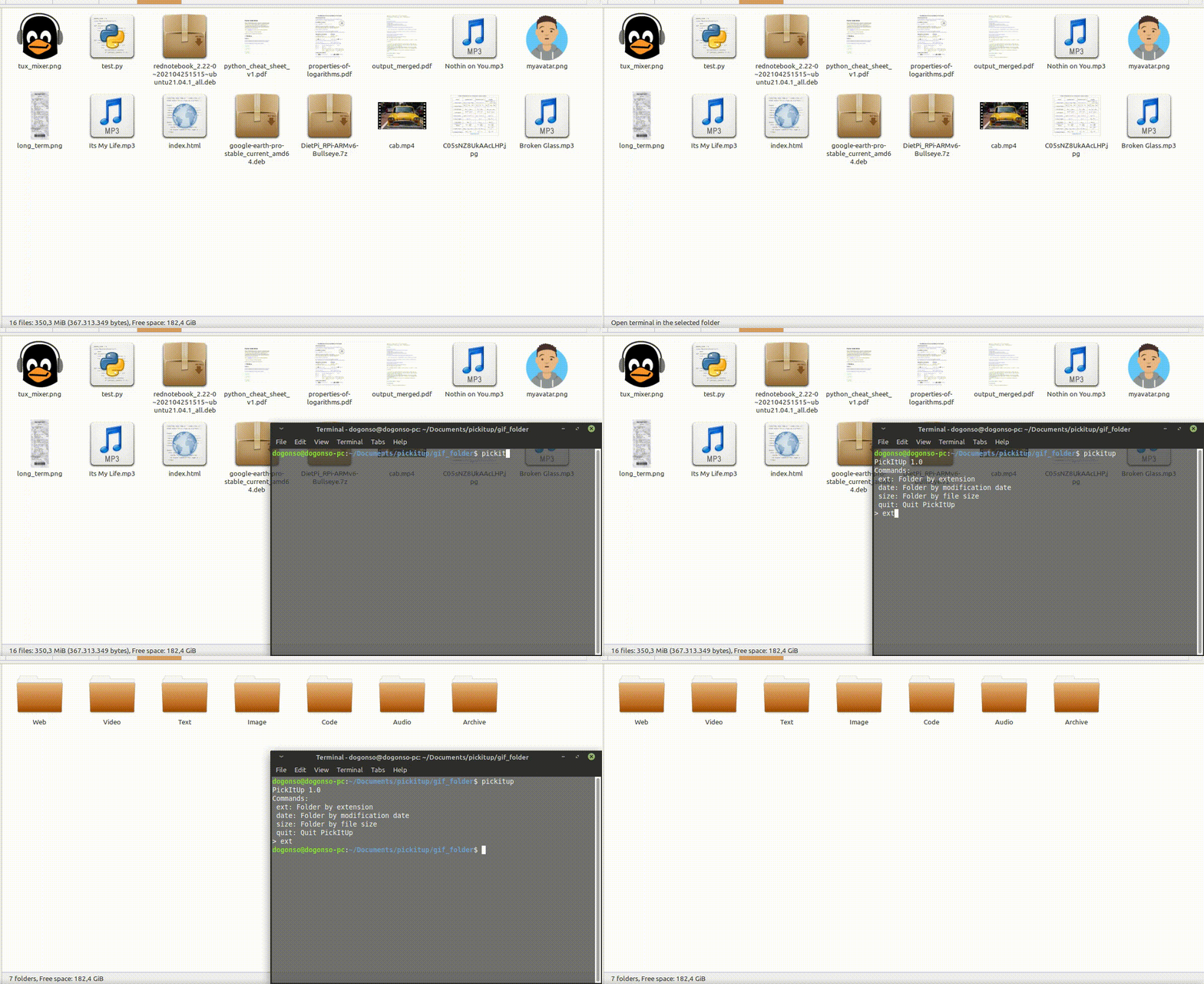
Super-simple way to categorize files in a messy directory. And it's only 4 KB!
- File type(video,photo,archive etc.)
- Size of file
- Last modification date
- If pip is not installed
sudo apt install pip3
- For Windows: Download get-pip.py and store it in the same directory as python is installed. Then run
python get-pip.py
- Install pickitup package with
pip3 install pickitup - Open your folder in terminal and run
pickitup(Don't run program in /home folder :) )
- Lists all files in directory (os.listdir)
files = os.listdir(os.curdir)
filelist = []
for f in files:
filelist.append(f)- Takes user input for category type
print("PickItUp 1.0\nCommands:\n ext: Folder by extension\n date: Folder by modification date\n size: Folder by file size\n quit: Quit PickItUp")
action = input("> ")- By file extension
for file in filelist:
    filename ,file_extension = os.path.splitext(file)
    for category in types:
        if file_extension in types[category]:
            dst_path = "./" + category + "/" + file
            src_path = "./" + file
            try:
                shutil.move(src_path, dst_path)
            except:
pass- By file size (<1MB for example)
for file in filelist:
    file_source = "./" + file
    file_size = os.stat(file_source)
    if file_size.st_size < 1000000:
        if os.path.exists("./Less Than 1 MB") == False:
            os.makedirs("./Less Than 1 MB")
        try:
            shutil.move(file_source, "./Less Than 1 MB/"+file)
        except:
pass- By modification date
for file in filelist:
    file_source = "./" + file
    file_mod_date = time.localtime(os.path.getmtime(file_source))
    folder_name = calendar.month_abbr[file_mod_date.tm_mon] + " " + str(file_mod_date.tm_year)
    folder_path = "./" + folder_name
    if os.path.exists(folder_path) == False:
        os.makedirs(folder_path)
    try:
        shutil.move(file_source, folder_path)
    except:
        pass