Switching between dark and light mode while the app is open confuses the appearance #12441

Description

Steps to reproduce:
- Open any area of the app.
- Put the app in the background (do not force close).
- On the device, go to Settings > Display & Brightness > Appearance.
- Change the mode from Light to Dark or vice versa.
- Go back to the app and observe that some parts of the app change and others do not.
- Force refresh the app.
- Repeat steps 1-5.
Result: if the appearance is switched from Dark to Light or from Light to Dark after the app is opened, the colors become confused. (40s)
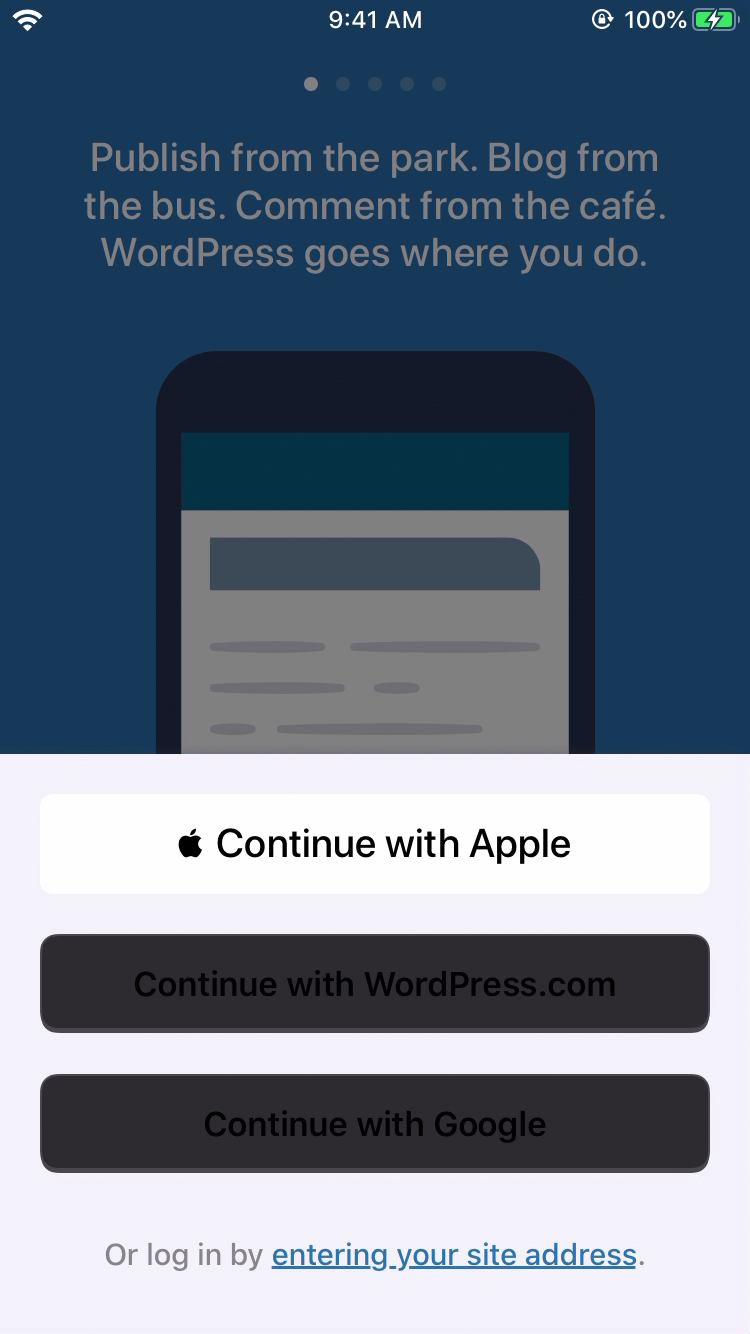

Tested with WPiOS 13.2-beta1 (TestFlight) on iPhone 6S iOS 13.1 Beta 1 in Dark & Light Modes.
The view controller needs to listen for the notification that the mode has changed and refresh the UI.
h/t @rachelmcr for the original report at p5T066-Zv-p2#comment-3427 and @jkmassel for the tip.