Issue Type: Bug
As you can see from the screenshot below there is no inline documentation available in the popup. Which I believe isn't expected behaviour.
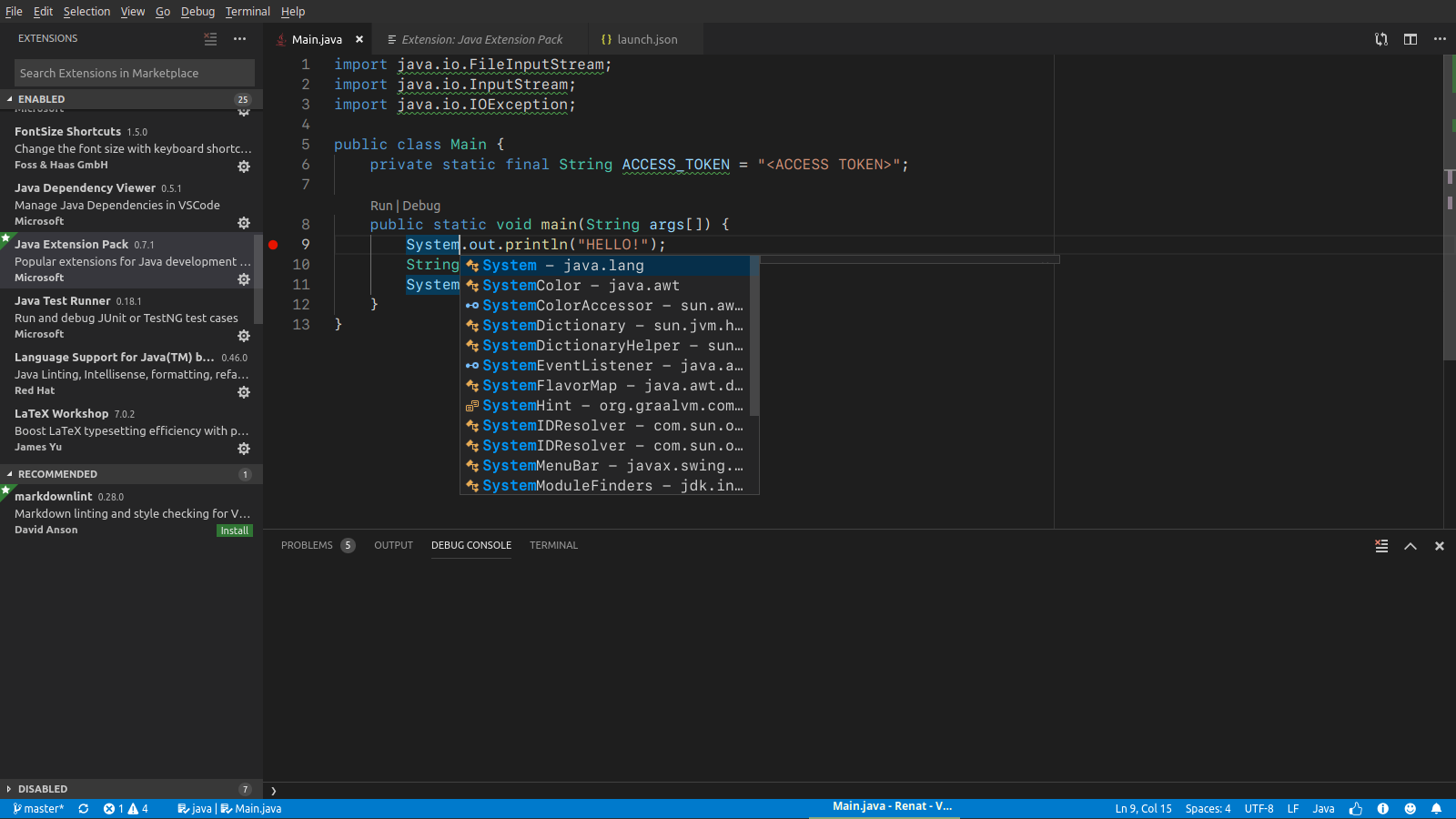
(look at thin empty popup at the right of the list of suggestions)
At the other hand, auto completion of the class members seems to be correct:
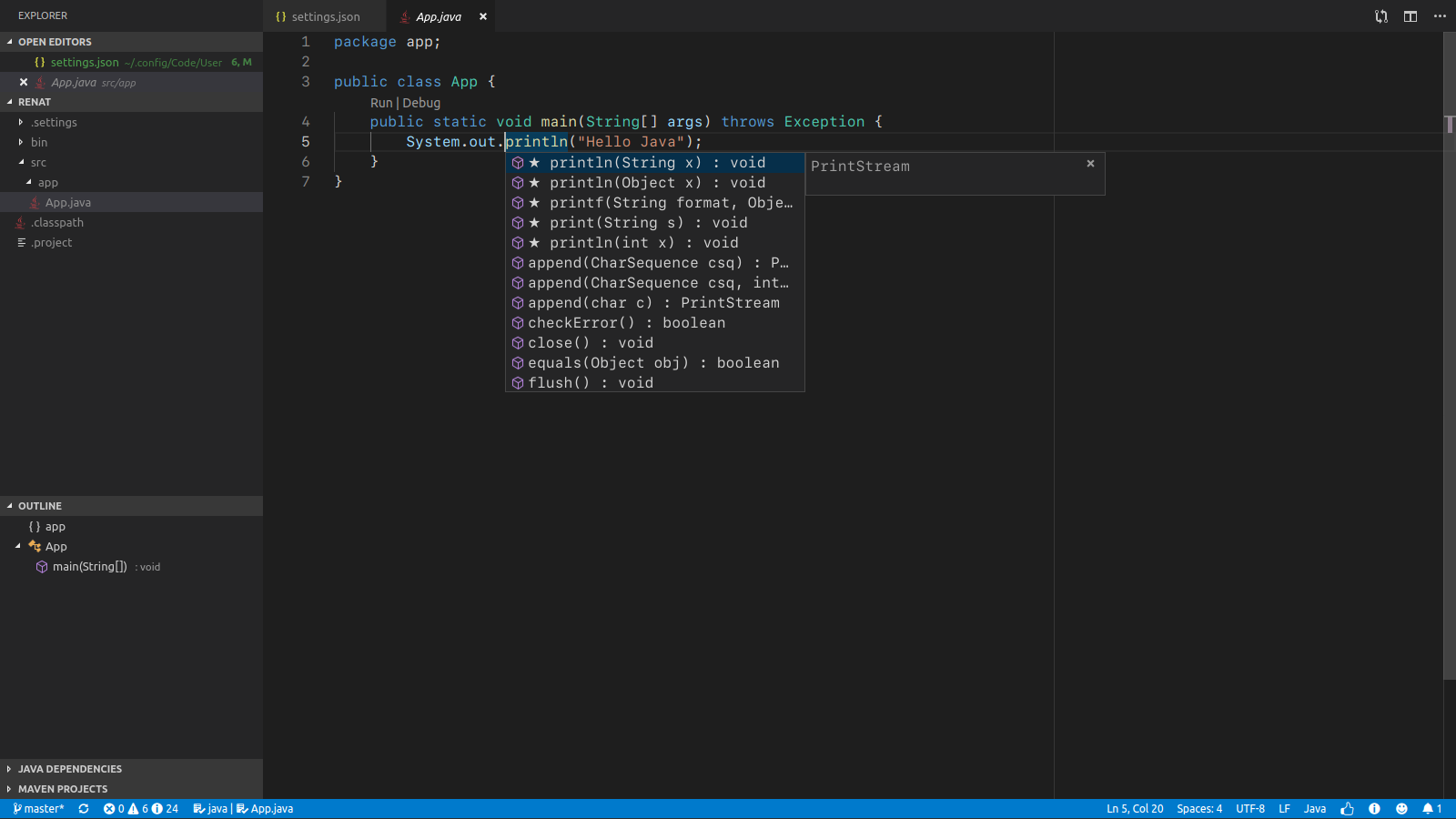
What's wrong here?
Just in case, run and debug works ok.
Extension version: 0.46.0
VS Code version: Code 1.35.0 (553cfb2c2205db5f15f3ee8395bbd5cf066d357d, 2019-06-04T01:13:26.790Z)
OS version: Linux x64 4.15.0-20-generic
System Info
| Item |
Value |
| CPUs |
Intel(R) Core(TM) i7-2670QM CPU @ 2.20GHz (8 x 1311) |
| GPU Status |
2d_canvas: enabled
checker_imaging: disabled_off
flash_3d: enabled
flash_stage3d: enabled
flash_stage3d_baseline: enabled
gpu_compositing: enabled
multiple_raster_threads: enabled_on
native_gpu_memory_buffers: disabled_software
rasterization: disabled_software
surface_synchronization: enabled_on
video_decode: unavailable_off
webgl: enabled
webgl2: enabled |
| Load (avg) |
2, 2, 1 |
| Memory (System) |
5.71GB (1.79GB free) |
| Process Argv |
--unity-launch |
| Screen Reader |
no |
| VM |
0% |

Issue Type: Bug
As you can see from the screenshot below there is no inline documentation available in the popup. Which I believe isn't expected behaviour.
(look at thin empty popup at the right of the list of suggestions)
At the other hand, auto completion of the class members seems to be correct:
What's wrong here?
Just in case, run and debug works ok.
Extension version: 0.46.0
VS Code version: Code 1.35.0 (553cfb2c2205db5f15f3ee8395bbd5cf066d357d, 2019-06-04T01:13:26.790Z)
OS version: Linux x64 4.15.0-20-generic
System Info
checker_imaging: disabled_off
flash_3d: enabled
flash_stage3d: enabled
flash_stage3d_baseline: enabled
gpu_compositing: enabled
multiple_raster_threads: enabled_on
native_gpu_memory_buffers: disabled_software
rasterization: disabled_software
surface_synchronization: enabled_on
video_decode: unavailable_off
webgl: enabled
webgl2: enabled