Closed issue #6570 refers...
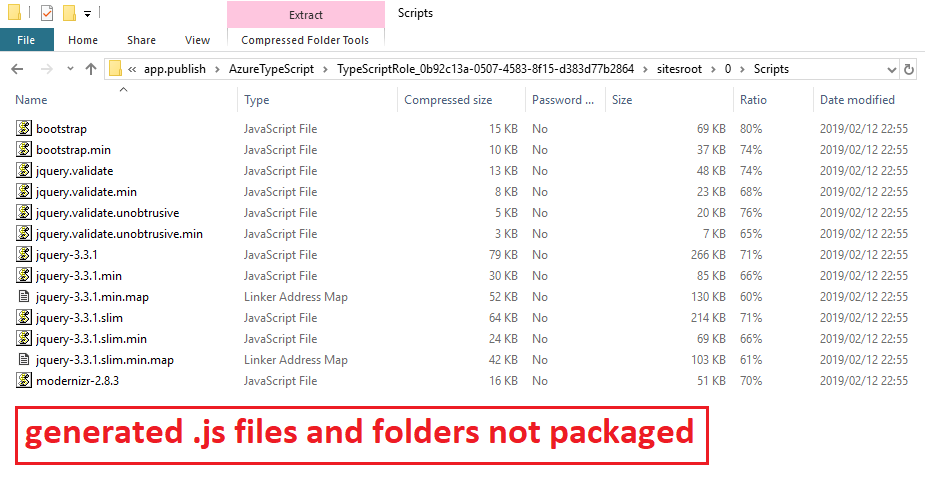
I have recently discovered a situation where the packaging of an application for an Azure cloud service excludes a number of generated JS files (and their folder tree).
I have created a sample VS2017 project that can reproduce the issue.
I have tried the recommendations in Issue 6570, but they did not work.
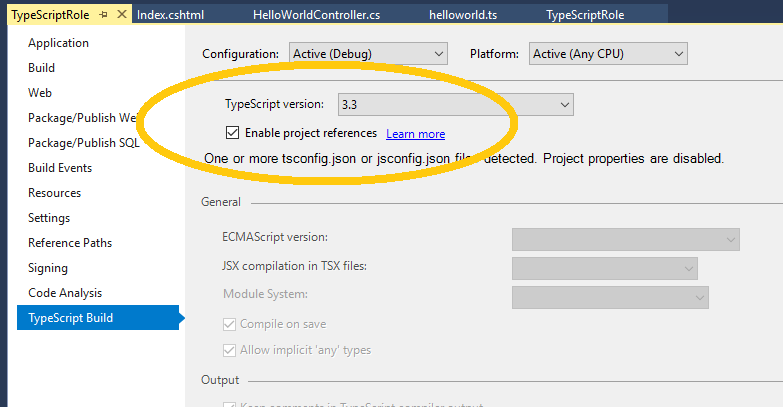
I think that I have tracked the issue down to a specific setting "Enable project references" in the TypeScript tab of the project properties.
- When this setting is enabled, generated JS files are NOT included in the Azure package.
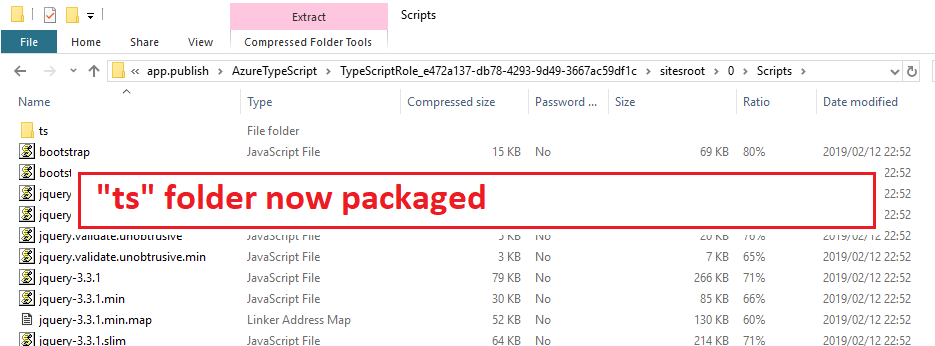
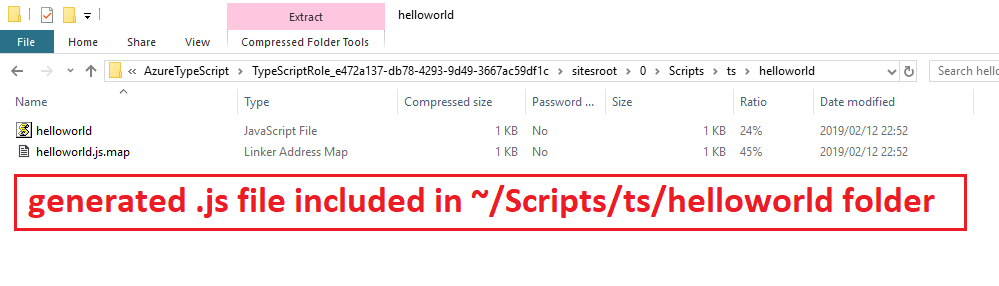
- When the setting is disabled, then the generated JS files ARE included.
Please advise why this behaviour exists and how/why this setting is impacting the Azure packaging process.
Issue was previously discussed with @MicahMcKittrick-MSFT
AzureTypeScript.zip


Closed issue #6570 refers...
I have recently discovered a situation where the packaging of an application for an Azure cloud service excludes a number of generated JS files (and their folder tree).
I have created a sample VS2017 project that can reproduce the issue.
I have tried the recommendations in Issue 6570, but they did not work.
I think that I have tracked the issue down to a specific setting "Enable project references" in the TypeScript tab of the project properties.
Please advise why this behaviour exists and how/why this setting is impacting the Azure packaging process.
Issue was previously discussed with @MicahMcKittrick-MSFT
AzureTypeScript.zip