TypeScript Version: 2.4.1
Code
./index.ts:
import * as XTerm from 'xterm';
./package.json:
{
  "name": "t",
  "version": "1.0.0",
  "description": "",
  "main": "index.js",
  "scripts": {
    "test": "echo \"Error: no test specified\" && exit 1"
  },
  "author": "",
  "license": "ISC",
  "dependencies": {
    "xterm": "^2.8.1"
  }
}
./tsconfig.json:
{
	"compilerOptions": {
		"typeRoots": [
			"typings"
		]
	}
}
./typings/xterm.d.ts:
/*---------------------------------------------------------------------------------------------
 *  Copyright (c) Microsoft Corporation. All rights reserved.
 *  Licensed under the MIT License. See License.txt in the project root for license information.
 *--------------------------------------------------------------------------------------------*/

declare module 'xterm' {
	type LinkMatcherHandler = (event: MouseEvent, uri: string) => boolean | void;

	class Terminal {
		cols: number;
		rows: number;
		ydisp: number;
		element: HTMLElement;
		textarea: HTMLTextAreaElement;

		/**
		 * Creates a new `Terminal` object.
		 *
		 * @param {object} options An object containing a set of options.
		 */
		constructor(options?: any);

		/**
		 * Registers an event listener.
		 * @param eventName The name of the event.
		 * @param callback The callback.
		 */
		on(eventName: string, callback: (data: any) => void): void;

		/**
		 * Resizes the terminal.
		 *
		 * @param x The number of columns to resize to.
		 * @param y The number of rows to resize to.
		 */
		resize(columns: number, rows: number): void;

		/**
		 * Emits an event.
		 * @param eventName The name of the event.
		 * @param data The data attached to the event.
		 */
		emit(eventName: string, data: any): void;

		/**
		 * Writes text to the terminal, followed by a break line character (\n).
		 * @param data The text to write to the terminal.
		 */
		writeln(data: string): void;

		/**
		 * Opens the terminal within an element.
		 * @param parent The element to create the terminal within.
		 * @param focus Focus the terminal, after it gets instantiated in the
		 * DOM.
		 */
		open(parent: HTMLElement, focus: boolean): void;

		/**
		 * Attaches a custom key event handler which is run before keys are
		 * processed, giving consumers of xterm.js ultimate control as to what
		 * keys should be processed by the terminal and what keys should not.
		 * @param customKeyEventHandler The custom KeyboardEvent handler to
		 * attach. This is a function that takes a KeyboardEvent, allowing
		 * consumers to stop propogation and/or prevent the default action. The
		 * function returns whether the event should be processed by xterm.js.
		 */
		attachCustomKeyEventHandler(customKeyEventHandler: (...any) => boolean);

		/**
		 * Retrieves an option's value from the terminal.
		 * @param key The option key.
		 */
		getOption(key: string): any;

		/**
		 * Registers a link matcher, allowing custom link patterns to be matched and
		 * handled.
		 * @param {RegExp} regex The regular expression to search for, specifically
		 * this searches the textContent of the rows. You will want to use \s to match
		 * a space ' ' character for example.
		 * @param {LinkMatcherHandler} handler The callback when the link is called.
		 * @param {LinkMatcherOptions} [options] Options for the link matcher.
		 * @return {number} The ID of the new matcher, this can be used to deregister.
		 */
		registerLinkMatcher(regex: RegExp, handler: LinkMatcherHandler , options?: any);

		/**
		 * Deregisters a link matcher if it has been registered.
		 * @param matcherId The link matcher's ID (returned after register)
		 */
		deregisterLinkMatcher(matcherId: number): void;

		/**
		 * Gets whether the terminal has an active selection.
		 */
		hasSelection(): boolean;

		/**
		 * Gets the terminal's current selection, this is useful for implementing copy
		 * behavior outside of xterm.js.
		 */
		getSelection(): string;

		/**
		 * Clears the current terminal selection.
		 */
		clearSelection(): void;

		/**
		 * Selects all text within the terminal.
		 */
		selectAll(): void;

		/**
		 * Focus the terminal. Delegates focus handling to the terminal's DOM element.
		 */
		focus(): void;

		/**
		 * Find the next instance of the term, then scroll to and select it. If it
		 * doesn't exist, do nothing.
		 * @param term Tne search term.
		 * @return Whether a result was found.
		 */
		findNext(term: string): boolean;

		/**
		 * Find the previous instance of the term, then scroll to and select it. If it
		 * doesn't exist, do nothing.
		 * @param term Tne search term.
		 * @return Whether a result was found.
		 */
		findPrevious(term: string): boolean;

		/**
		 * Destroys the terminal.
		 */
		destroy(): void;

		/**
		 * Scroll the display of the terminal
		 * @param disp The number of lines to scroll down (negatives scroll up).
		 */
		scrollDisp(disp: number): void;

		/**
		 * Scroll the display of the terminal by a number of pages.
		 * @param {number} pageCount The number of pages to scroll (negative scrolls up).
		 */
		scrollPages(pageCount: number): void;

		/**
		 * Scrolls the display of the terminal to the top.
		 */
		scrollToTop(): void;

		/**
		 * Scrolls the display of the terminal to the bottom.
		 */
		scrollToBottom(): void;

		/**
		 * Clears the entire buffer, making the prompt line the new first line.
		 */
		clear(): void;

		/**
		 * Writes text to the terminal.
		 * @param data The text to write to the terminal.
		 */
		write(data: string): void;

		/**
		 * Sets an option on the terminal.
		 * @param key The option key.
		 * @param value The option value.
		 */
		setOption(key: string, value: any): void;

		/**
		 * Tells the renderer to refresh terminal content between two rows (inclusive) at the next
		 * opportunity.
		 * @param start The row to start from (between 0 and this.rows - 1).
		 * @param end The row to end at (between start and this.rows - 1).
		 */
		refresh(start: number, end: number): void;

		/**
		 * Loads an addon, attaching it to the Terminal prototype.
		 * @param addon The addon to load.
		 */
		static loadAddon(addon: string): void;
	}

	export = Terminal;
}
Expected behavior:
There is no error and the import works.
Actual behavior:
I get this error:
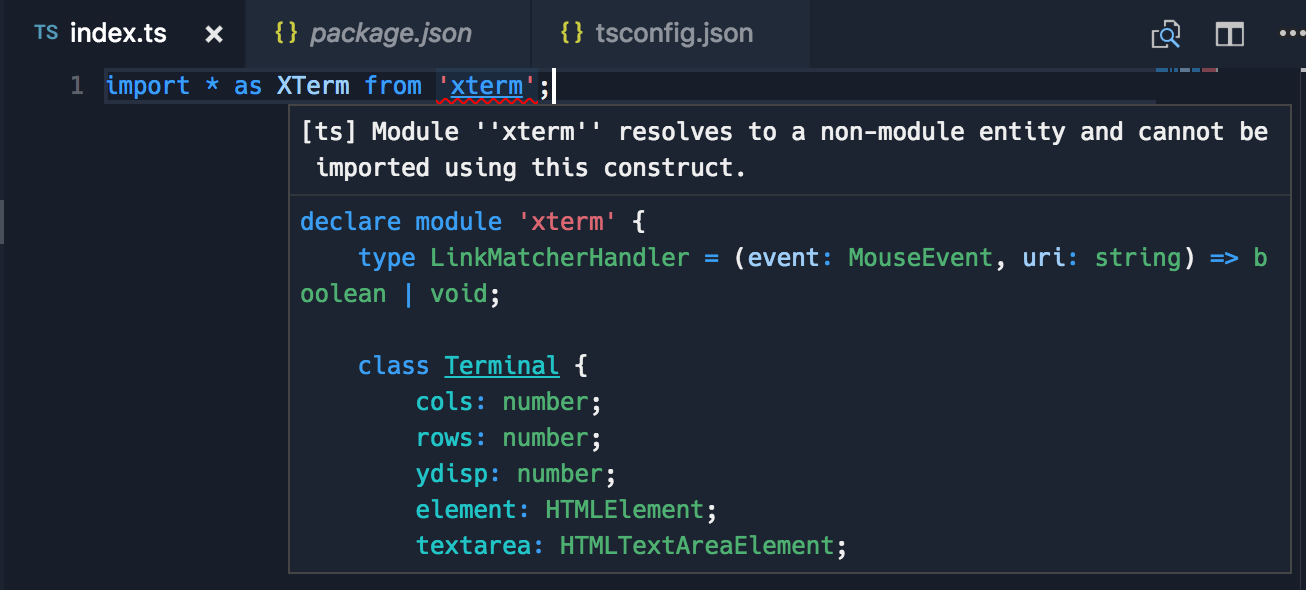
[ts] Module ''xterm'' resolves to a non-module entity and cannot be imported using this construct.
Even though VS Code references the correct file which starts with declare module....
Other observations:
-
It works fine if I use = require('xterm'), this does not work for me though as I'm trying to only pull the types, not actually require (so I can lazily load the module).
-
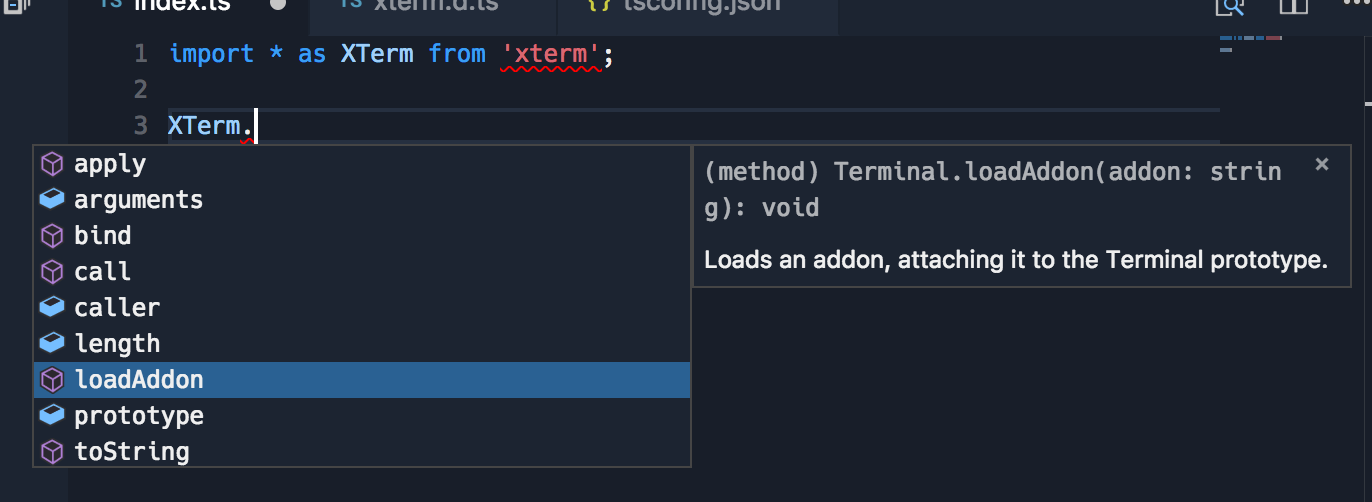
Types seem to work fine even though there's the error:

TypeScript Version: 2.4.1
Code
./index.ts:
./package.json:
./tsconfig.json:
./typings/xterm.d.ts:
Expected behavior:
There is no error and the import works.
Actual behavior:
I get this error:
Even though VS Code references the correct file which starts with
declare module....Other observations:
It works fine if I use
= require('xterm'), this does not work for me though as I'm trying to only pull the types, not actually require (so I can lazily load the module).Types seem to work fine even though there's the error: