Current behaviour
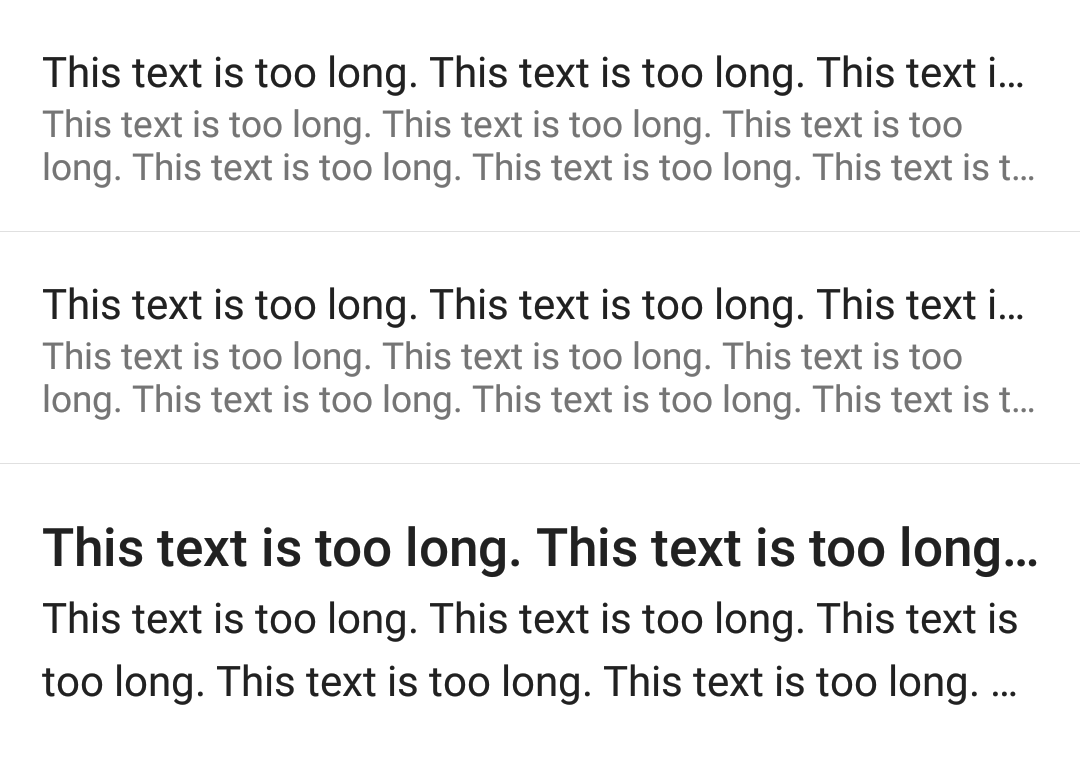
List.Item's title and description texts/components are wrapped inside a Text with fixed numberOfLines. As a result, long text elements are always cut off (even when using custom text components with numberOfLines set).
Expected behaviour
It'd be better if there is a way to customise the numberOfLines for item title/description, or at least a way to disable the default behaviour. I know that I can easily replace List.Item with a View, but I'd like to use List.Item for its standard padding/margin and ripple.
Code sample
Snack: https://snack.expo.io/@jibi/react-native-paper-list.item-numberoflines
Screenshots (if applicable)
What have you tried
- Use a
Subheading for title with numberOfLines
- Read the source code -> Write a feature request
Your Environment
| software |
version |
| ios or android |
Android |
| react-native |
0.57 (expo 31) |
| react-native-paper |
2.3.1 |
| node |
10.2.1 |
| npm or yarn |
yarn 1.12.3 |

Current behaviour
List.Item's title and description texts/components are wrapped inside aTextwith fixednumberOfLines. As a result, long text elements are always cut off (even when using custom text components withnumberOfLinesset).Expected behaviour
It'd be better if there is a way to customise the
numberOfLinesfor item title/description, or at least a way to disable the default behaviour. I know that I can easily replaceList.Itemwith aView, but I'd like to useList.Itemfor its standard padding/margin and ripple.Code sample
Snack: https://snack.expo.io/@jibi/react-native-paper-list.item-numberoflines
Screenshots (if applicable)
What have you tried
Subheadingfor title withnumberOfLinesYour Environment