Current behaviour
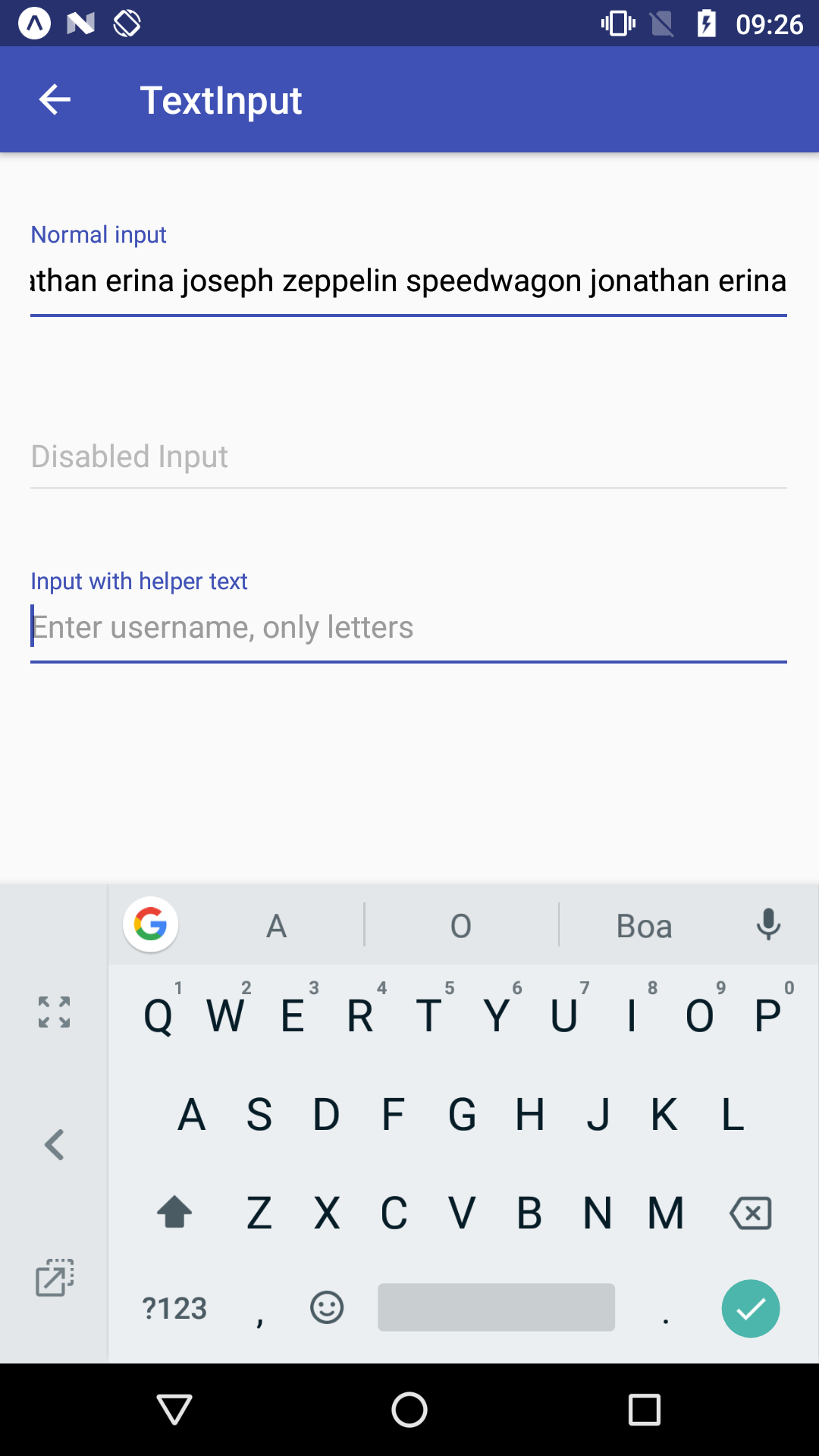
When the string is larger than the width of TextInput and the component is mounted or lose it's focus, the component does not display the string from the very beginning. Rather, the component starts displaying the string by the end.
Expected behaviour
When the component is mounted or lose it's focus, the component should display the string starting from left to right.
Code sample
Not needed as the screenshot was taken from the expo demo.
Screenshots
Example string: 'Jonathan erina joseph zeppelin speedwagon jonathan erina'. Note that when the component loses it's focus, the string keeps being displayed from right to left.
What have you tried
Checked if there's a prop to control such behavior, none was found.
Your Environment
| software |
version |
| android |
6.0 |
| react-native |
0.55.3 |
| react-native-paper |
1.10.4 |
| node |
8.10.0 |
| npm or yarn |
5.6.0 |

Current behaviour
When the string is larger than the width of TextInput and the component is mounted or lose it's focus, the component does not display the string from the very beginning. Rather, the component starts displaying the string by the end.
Expected behaviour
When the component is mounted or lose it's focus, the component should display the string starting from left to right.
Code sample
Not needed as the screenshot was taken from the expo demo.
Screenshots
Example string: 'Jonathan erina joseph zeppelin speedwagon jonathan erina'. Note that when the component loses it's focus, the string keeps being displayed from right to left.
What have you tried
Checked if there's a prop to control such behavior, none was found.
Your Environment